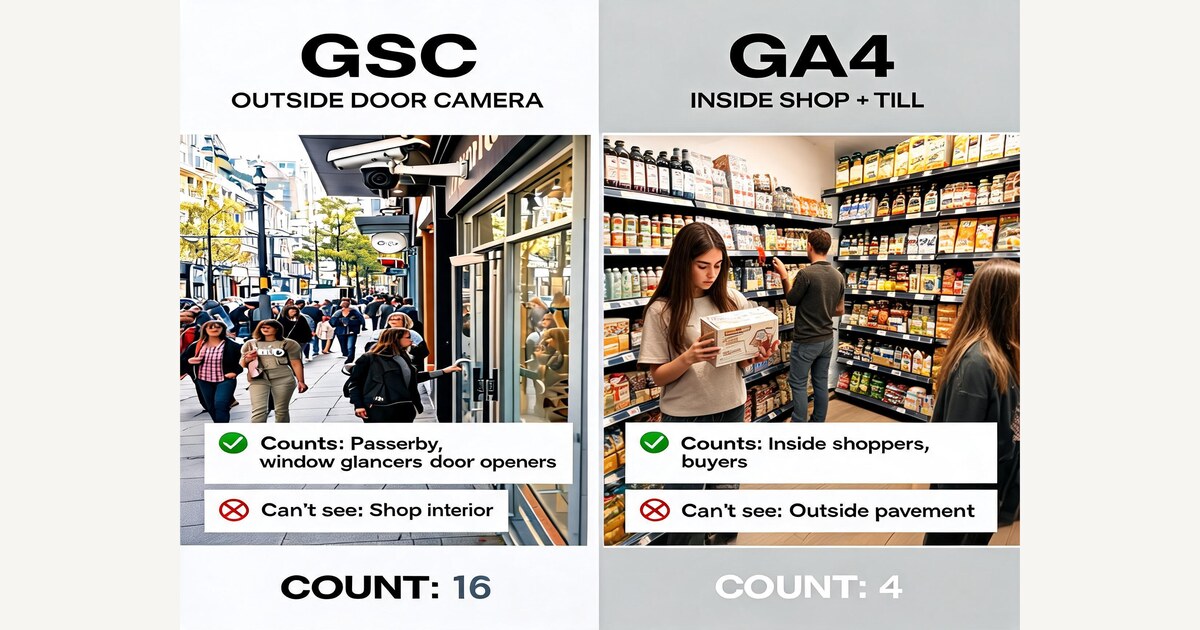
If you've spent any time looking at your website's traffic, you've probably opened two free tools from Google: Google Search Console (GSC) and Google Analytics 4 (GA4). Both watch your site. Both give you numbers. And the numbers don't agree.
This post explains what each tool actually is, why their counts will never line up, and which one to open for which question — in plain English, with one analogy that holds the whole thing together.
First, what is each one?
Both tools are free. Both come from Google. They were built for different jobs.
Google Search Console is Google's report card on how your site appears in Google Search. It shows you what people typed into the search box to find you, how often your link came up in the results, where you ranked, and how often someone clicked through. It only knows about visitors who came from Google — and only what happened on the search results page, not what they did after they arrived.
Google Analytics 4 is the activity log of your own website. It shows you who's on your site, which pages they're reading, how long they stayed, what they clicked, and whether they signed up or paid. It knows about visitors from every source — Google, email, social media, ads, people typing your URL directly — but only after they've already arrived on your site.
So GSC is a Google-side tool that ends at the click. GA4 is a your-site-side tool that begins at the click. That's the entire shape of the disagreement — and the easiest way to feel it is to step out of the analytics tools entirely.
Where each tool actually sits
Imagine your business is a small shop on a busy high street. Two different people are counting your customers, from two different vantage points — and they will never give you the same number.
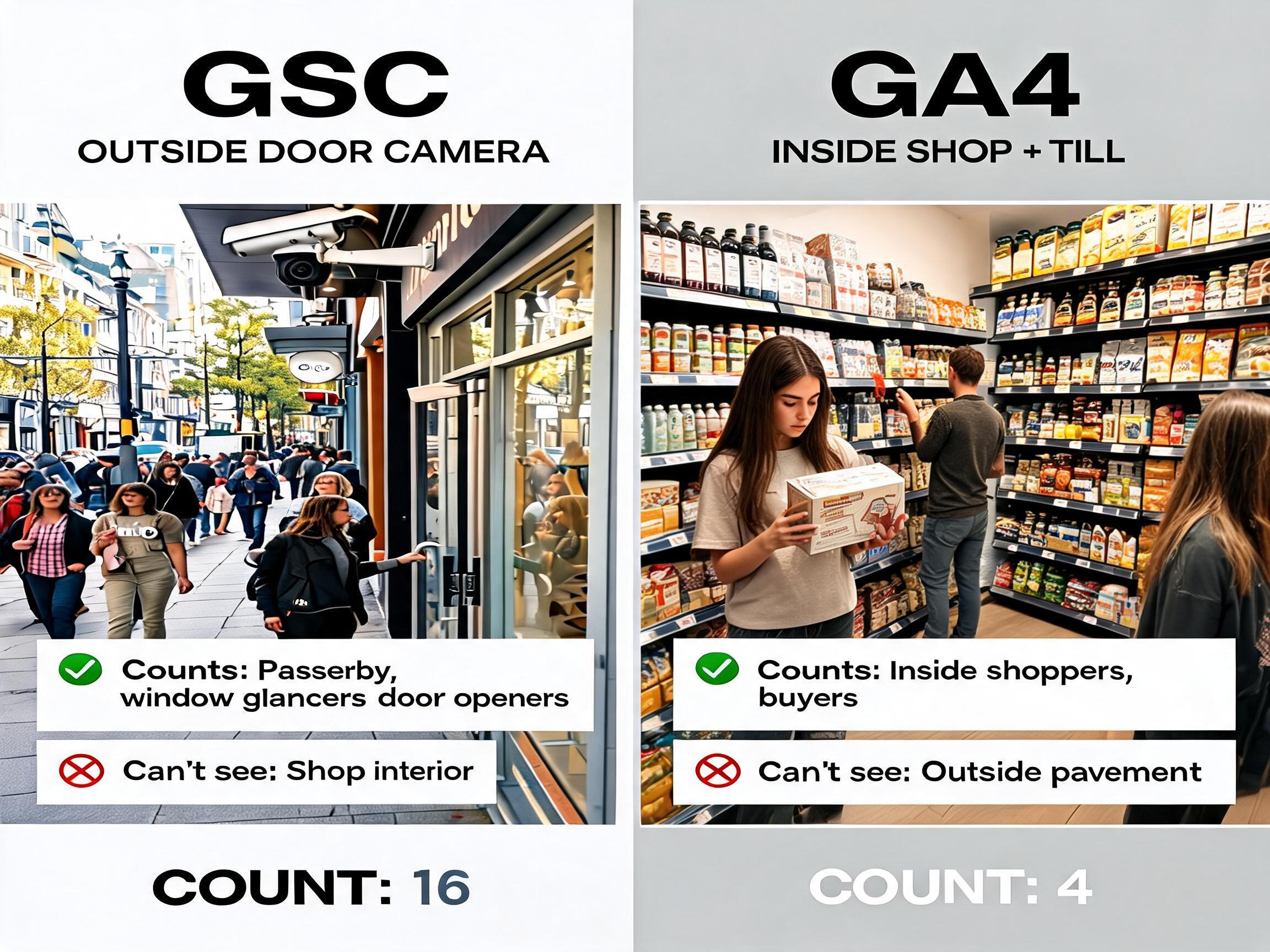
GSC is the outside-door camera. It watches the pavement and notices every person who walks past, glances at your window, and pushes the door open. It can't see what happens inside the shop. But it's very good at the outside-the-door part, because it's a dedicated counter that nobody can switch off.
GA4 is the cameras and the till inside the shop. They see what people did once they were in — what they picked up, what they put back, what they paid for. They miss what happens on the pavement, but they're the only ones who know whether a visit turned into a sale.
GSC sees the street. GA4 sees the shop floor. The door is the seam.
Why the numbers never match
Here's the moment most founders panic. GSC says you got 1,000 visitors from Google last month. GA4 says you got 720, same period, same site. Something must be broken.
Nothing is broken. The street counter sees everyone who walks through the door. The in-shop cameras only see the people who let themselves be seen — and a chunk of every crowd does not.
The drops are simple to picture once you have the analogy:
- Some shoppers cover the lens. That's an adblocker — software on the visitor's phone or laptop that stops Google's tracking code from loading. The click happens; the in-shop camera never turns on.
- Some shoppers tick "don't track me" at the door. That's the cookie consent banner — the popup that asks "can we use cookies?" Many people decline, and GA4 honours that by not recording the visit.
- Some shoppers bounce straight back out. They clicked, but left before the page finished loading — so the camera never had time to take their picture.
- Some shoppers get credited to a different door. GA4 tries to work out which channel really delivered each customer. Sometimes it decides the visit "really" came from email or direct traffic, not Google — even though GSC clearly logged the click. (The same dynamic plays out between GA4 and Google Ads, for the same reasons — Your Google Ads ROAS Looks Great. Your GA4 Tells a Different Story is the parallel post for paid.)
- Some shoppers get folded into "everyone else." GA4 hides very small groups for privacy. If a query brought you four visits, you might not see it called out by name at all. (GA4's underlying API has worse versions of this problem — Stop using the GA4 API — use BigQuery Export instead covers the full menu of sampling, thresholding, and cardinality caps.)
Don't try to make the two numbers match exactly. They can't — and chasing it is how founders waste a Tuesday.
What each tool is best at
Once you stop expecting the two to agree, the next question is simpler: which one should I open for which question?
Four short rules to keep in your head:
- Only GSC knows what people searched. Google stopped sharing search keywords with analytics tools back in 2011, when it encrypted search referrer data for privacy. Universal Analytics labelled the missing data "(not provided)"; GA4, launched in 2020, dropped the keyword dimension entirely. Either way, if you want to know the actual words someone typed into Google, GSC is the only place. There is no workaround. (For a deeper dive on reading GSC well, see How to actually read your Google Search Console data.)
- Only GA4 knows what happened after the click. Did they scroll? Did they sign up? Did they pay? GSC sees the click and stops.
- For click counts, trust GSC. It sits at Google's end of the wire, so almost nothing stops it from counting. GA4 will always show a smaller number for the reasons in Fig. 3.
- For sales and revenue, trust GA4 (or your billing system — Stripe, your CRM, whatever actually has the money). GSC has no view of these at all.
One customer, two reporting systems
The cleanest way to picture it: one person walks through your whole funnel, but each stage is watched by a different tool.
Most teams stitch this picture together in their heads, informally. Drawing it out removes a lot of the misunderstanding that happens when GSC says "1,000 came in!" and GA4 says "but only 50 made it to checkout."
The one question only both tools can answer
The most valuable thing you can do as a founder is the one analysis neither tool can do alone: which searches brought people to your site, but didn't end in a sale? That's where the next bit of effort earns the most.
Back to the shop. The street counter can tell you 200 people walked in because of a sign outside reading "best gluten-free bakery." The till can tell you the bakery section made £40 last week. Until you put those two facts next to each other, you don't know whether the sign is doing its job — or whether the people it attracts are walking out empty-handed.
The exercise is four steps:
- Start in GSC. Look at your top 50 organic search terms (the ones that aren't your brand name) over the last month. Note which page on your site each search brings them to.
- Move to GA4. Filter to visits from Google search. Group by landing page. Pull conversion rate for each one.
- Pair them up. Each GSC search has a landing page. Each landing page has a GA4 conversion rate. Match them.
- Sort by "lots of clicks, almost no sales." Those pages are your highest-leverage fixes. Either the page is matching the wrong kind of customer, or it's matching the right one and failing to close.
This is the moment most spreadsheets get built. It's the right exercise — but doing it monthly across a real site involves enough fiddly joining and grouping that most founders do it once, swear they'll come back to it, and don't.
When the two tools disagree
When the tools move in opposite directions, the disagreement itself is the diagnosis. The four-quadrant version of this is the most useful weekly check you can build.
The most common false alarm sits in the top-left: more clicks in GSC, but no extra visits in GA4. Founders panic and start rewriting pages. The actual cause is almost always something boring — a consent banner change, a tracking tag that broke, an adblocker spike. The shop is fine. The camera blinked.
The most expensive miss sits in the bottom-right: GA4 visits look fine overall, so the dashboard is green, but GSC clicks are quietly bleeding. The shortfall is being papered over by another channel — a flurry of branded searches, a viral referral, an email campaign. You'll only see it if you're looking at both tools side by side.
The habit worth building
Most teams check GA4 weekly and GSC almost never (or the other way around). The combination is cheap once it's a routine — open both, in the same 28-day window, once a month, and ask three questions:
- Which searches grew in GSC? Did the matching pages convert in GA4?
- Which searches are bringing clicks that don't turn into real visits?
- Are GSC and GA4 trending in the same direction this month, or different ones?
If you can answer those three every month, you're running your organic channel on evidence instead of vibes — which is rarer than it should be.
And if GA4 itself isn't set up for a subscription business yet — the right events, key events, and BigQuery export — start with How to Set Up Google Analytics 4 for SaaS, then come back and build the GA4 + GSC routine above.